Churches do not always need a large production system to prepare clear visual support for a worship service. In many cases, the essential tasks are straightforward: displaying song lyrics and Scripture, opening images or videos, and moving between materials without interrupting the gathering.
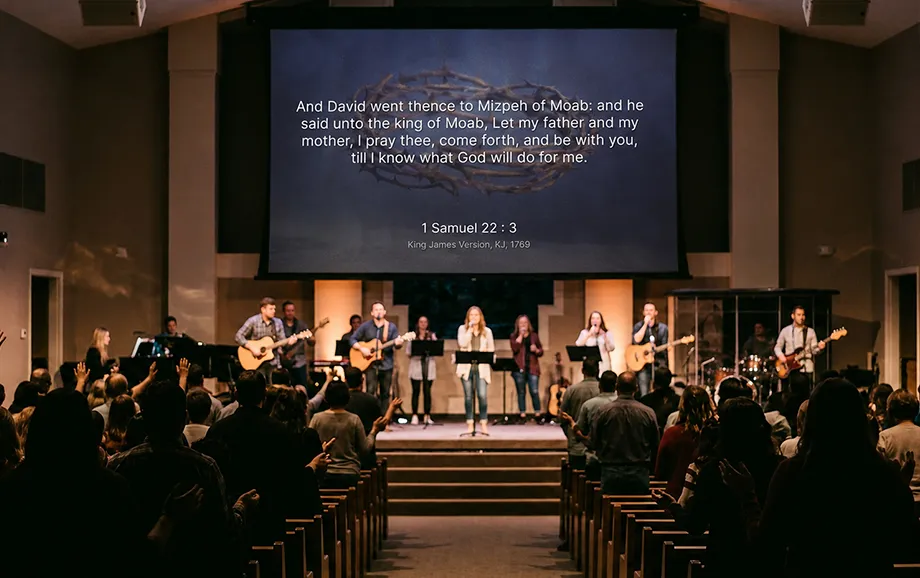
A focused worship service software solution can provide these functions without the cost and training requirements associated with advanced presentation suites. The right platform should simplify preparation, keep the operator’s controls separate from the congregation’s display, and support the equipment already available in the church.
Why Churches Do Not Always Need Expensive Presentation Software
Professional presentation systems may include multiple independent outputs, stage displays, broadcast integrations, automation tools, and advanced media controls. These capabilities can be useful in large technical environments, but many congregations do not use them during ordinary weekly services.
Cost is only one consideration. Complex software may require installation, account administration, hardware upgrades, and operator training. Volunteers then have to learn an extensive interface even when their regular responsibilities involve only songs, Bible passages, announcements, and standard video playback.
The practical question is not how many functions a system contains, but whether the media team can prepare the required content and display it reliably. A simple church presentation workflow may be more effective than a technically extensive platform that creates unnecessary operating steps.
When a Simple Solution Works Better
Most worship services rely on a limited number of recurring content types. The operator needs to prepare them before the gathering, arrange them in the expected order, and retain enough flexibility to respond when the service plan changes.
The essential requirements usually include five capabilities:
Storing and displaying structured song lyrics.
Preparing and displaying Bible passages.
Adding images for announcements or visual backgrounds.
Playing uploaded or online videos.
Switching between materials from one control interface.
These functions cover the central visual needs of many congregations. They support worship, preaching, announcements, event introductions, and transitions without requiring a full broadcast-production environment.
A dedicated song lyrics display software platform also reduces repetitive formatting. Songs can be prepared as reusable items rather than rebuilt as a new set of slides before every service.
Fewer Technical Difficulties — More Focus on the Service
A complicated interface increases the number of actions the operator must remember. It can also make volunteer training more difficult, particularly when several people alternate responsibility for weekly presentations.
A simpler system keeps the workflow centred on content preparation and live control. The team can spend less time configuring production features that are not used and more time checking song text, Scripture references, visual readability, and the order of service.
This approach does not eliminate technical preparation. The browser, internet connection, external display, video playback, and audio route still need to be tested. However, a focused platform reduces the number of independent systems involved in the process.
Clear internal procedures remain important. Consistent song titles, section labels, media file names, and playlist names allow another volunteer to manage the presentation if the regular operator is unavailable.
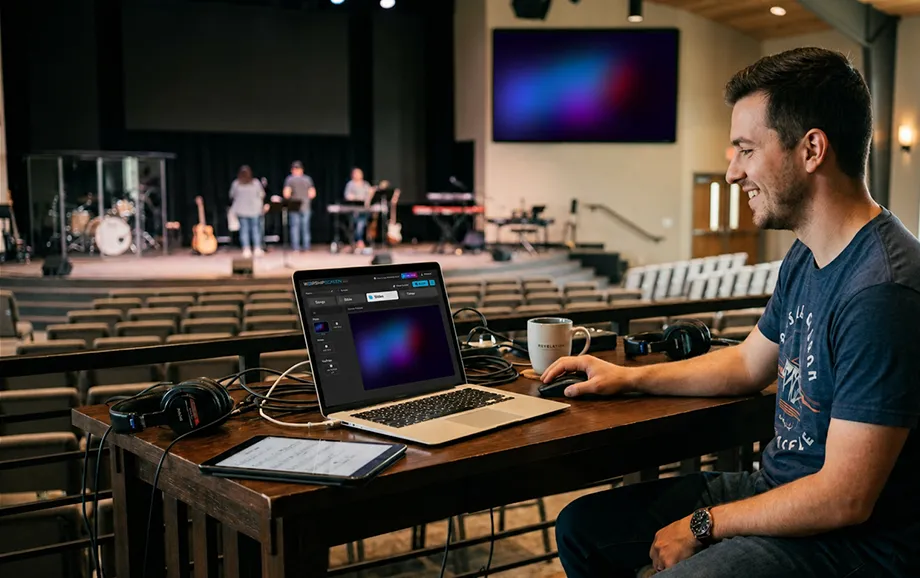
What WorshipScreen Provides for Free
The service provides the principal tools required to prepare and control visual materials during church gatherings. Users can organise songs, Bible passages, images, videos, backgrounds, and timers within one browser-based environment.
Free access allows a congregation to test a specialised workflow without purchasing a software licence. The public website does not list mandatory subscription plans, while voluntary contributions support continued development.
Displaying Song Lyrics and Bible Passages
Songs can be added to a reusable library and divided into verses, choruses, bridges, and other sections. The platform prepares each marked section for separate on-screen display, reducing the need to create every lyric slide manually.
During the service, the operator selects the required section from the control panel. A chorus can be displayed again, an earlier verse can be reopened, or another saved song can be selected without moving through a long linear slide deck.
This structure makes song lyrics display software particularly useful when the worship leader changes the planned sequence. The operator works with the logical parts of a song rather than searching through individual presentation slides.
Bible passages can be placed in the service playlist before the gathering. If the pastor refers to an additional passage, the operator can display the relevant Scripture without rebuilding the complete presentation.
Working with Images and Videos
Images may be used for announcements, sermon illustrations, event information, church branding, or backgrounds behind text. Videos can support teaching, introduce an event, present a recorded message, or accompany another part of the programme.
The service supports uploaded media and YouTube links. Online playback depends on a stable connection with sufficient bandwidth, so every external video should be opened and tested before the gathering begins.
Media preparation should account for four technical factors:
image and video aspect ratio;
output-screen resolution;
text contrast over visual backgrounds;
audio routing for files that include sound.
Files should be tested on the actual presentation equipment rather than only in the operator’s preview. A video that plays correctly on one computer may behave differently after changes to the browser, connection method, display resolution, or audio device.
Using one church presentation environment for both text and media also helps maintain visual consistency. Fonts, background styles, text positions, and image proportions can follow the same basic design throughout the service.
Managing the Display Through a Computer or Browser
WorshipScreen operates through a web browser and does not require a separate desktop presentation application. The operator prepares the playlist in the dashboard and opens a distinct live-output window for the congregation.
The two-window structure separates control from presentation. Editing tools, file lists, and navigation controls remain on the operator’s monitor, while the external screen shows only the selected song, Bible passage, image, video, or timer.
The live output can be sent from a computer to a projector, television, or LED display. Extended desktop mode is normally preferable to screen mirroring because it allows the dashboard and presentation window to remain on different screens.
The service can also be controlled from a phone. However, the primary device responsible for the live output still needs a reliable connection to the congregation’s display and stable access to the service.
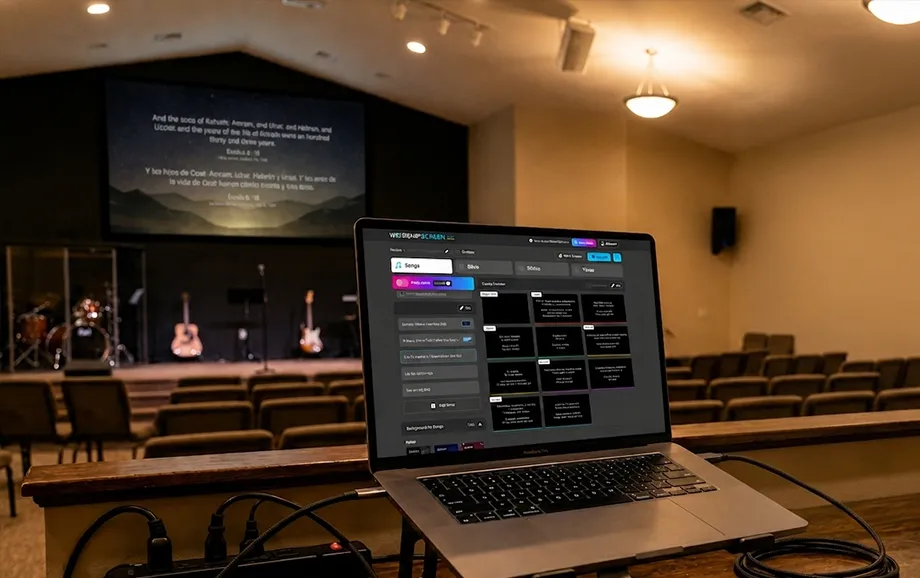
What Features Are Available Immediately After Starting with WorshipScreen
Users can begin preparing a service without downloading an installation package or configuring a local application. The initial process consists of creating an account, adding content, arranging a playlist, and connecting the live output to the selected display.
This quick start does not mean that the system should be tested for the first time during a gathering. The media team should complete the setup in advance and confirm that text, videos, audio, browser controls, and screen connections work correctly.
Ready for the First Worship Service
The first playlist does not need to contain the entire church library. A small test service with several songs, one or two Bible passages, an image, and a video is enough to verify the operating process.
A practical starting sequence includes three stages:
Add the required songs, Scripture, and media materials.
Arrange the items according to the expected order of service.
Open the live output and test every item on the congregation’s screen.
Song sections should be checked for correct division and spelling. Bible passages need the intended translation, while backgrounds must provide sufficient contrast for readable text.
Videos should be played from beginning to end during testing. The operator needs to confirm loading time, audio output, aspect ratio, and whether any online material remains available.
This preparation allows free church software to be introduced gradually. The church can evaluate the workflow during real gatherings before transferring a larger song library or changing its wider technical setup.
Connecting to Existing Equipment
The platform can work with equipment already used by many churches. A computer sends the live presentation to a projector, LED screen, or television through an appropriate video connection.
HDMI is common for short connections, while longer cable routes may require active HDMI, fibre-optic HDMI, HDBaseT, or another transmission method suitable for the distance. Adapters must support the required resolution, refresh rate, and audio configuration.
Projectors need sufficient brightness for the room and an appropriate throw distance. Televisions are practical in smaller spaces, while LED screens can provide better visibility under strong ambient or stage lighting.
The display should be configured as an extended desktop whenever possible. The operator then keeps the dashboard on the primary monitor and moves the live presentation window to the external screen.
A browser-based worship service software workflow does not remove the need for compatible hardware. Cables, adapters, screen settings, internet access, and audio connections should all be checked before the service begins.
WorshipScreen as an Alternative to Complex Presentation Systems
Traditional presentation software often organises content as a fixed sequence of manually prepared slides. This model works for predictable presentations, but it becomes less flexible when a worship leader repeats a chorus, a speaker requests another Bible passage, or the operator needs to switch immediately to a video.
A specialised service organises the work around reusable content and a live playlist. Songs remain available for future gatherings, Scripture can be prepared within the service plan, and media items can be opened from the same dashboard.
The main differences between the two approaches are shown below:
Criterion | Complex or Traditional System | Simple Browser-Based Service |
Access | May require a paid licence and local installation | Available through a supported browser |
Preparation | Content may be built as individual slides | Songs and media are stored as reusable items |
Training | Advanced tools may require longer instruction | Core controls follow a focused presentation workflow |
Live changes | Often depend on navigating a fixed sequence | Required materials can be selected from the playlist |
Function set | May include extensive production features | Concentrates on songs, Scripture, media, and live output |
Hardware | Advanced features may require higher-performance equipment | Can work with a standard computer and existing display equipment |
A browser-based service is not intended to replace every professional production system. Churches that require several independent outputs, complex livestream integrations, or automated broadcast controls may need more advanced software.
For congregations focused on lyrics, Scripture, images, video, and one primary output, the platform provides a practical PowerPoint alternative. It removes the need to rebuild routine worship content as a conventional slide deck while keeping the presentation process manageable for volunteers.
The combination of free access, reusable materials, rapid startup, and focused controls makes the service a suitable PowerPoint alternative for churches that do not need a large production environment.
Try Free Church Software Today
A church can begin by creating an account and preparing a playlist for one upcoming gathering. Several frequently used songs, selected Bible passages, images, and a short video provide enough material to test the complete process.
WorshipScreen allows the media team to evaluate a dedicated presentation workflow without purchasing an expensive licence or installing a complex system. The first test should take place outside a live service so that the browser, display connection, video playback, and audio route can be verified.
Register, connect the available screen, and use the free church software to prepare visual materials, manage the live output, and support clear and consistent visual presentation throughout the worship service.