Choosing a projector for a sanctuary starts with the room, not the product catalogue. Screen size, ambient light, throw distance, mounting position, resolution, and signal path all affect what the congregation will see. A projector can still produce washed-out lyrics if it is poorly matched to the space.
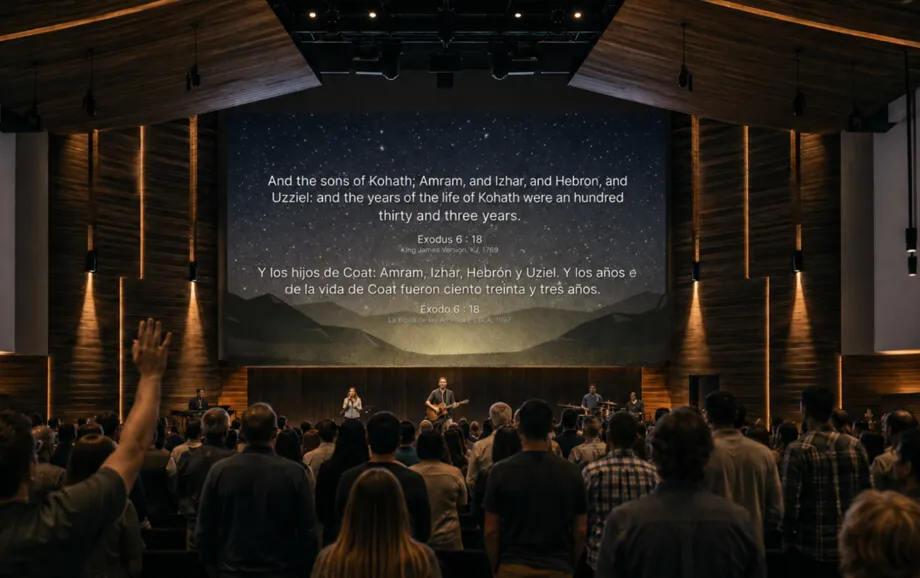
The practical approach to how to choose a projector for church is to define the service workflow first. A reliable church projector should keep text readable from the back row, reproduce media clearly, and connect to the presentation computer without unnecessary complexity.
What to Consider When Choosing a Church Projector
Measure the screen width, projector-to-screen distance, ceiling height, and distance to the farthest seats. Note windows, stage lighting, and whether house lights stay on during worship.
Confirm four points:
target image size and aspect ratio;
ambient light during a normal service;
available mounting distance;
required video and audio connections.
The best projector for church use is the model that fits those conditions. Lens suitability, throw distance, brightness, screen material, and ambient light are among the main factors that determine whether a projection system will work well in a house of worship.
Choose the Right Projector Brightness
Brightness is measured in lumens, but the number only makes sense together with screen size and room lighting. Standardised ANSI or ISO ratings are more useful for comparison than vague marketing brightness claims.
Projector Lumens for Small Churches
For a 100–150-inch image, about 1,500 lumens may work in low ambient light, while around 4,000 lumens is a more realistic reference point where the room stays bright. Epson also recommends at least 2,500 lumens for rooms such as classrooms or meeting spaces with windows.
These are starting points rather than fixed rules. Screen gain, sunlight, and stage lighting can change the requirement. A compact worship projector should therefore be tested under the lighting normally used during services.
Projector Lumens for Large Churches
For 150–200-inch images, ProjectorCentral gives roughly 4,000 lumens for low ambient light and 6,000 for higher ambient light. Very large installations may require substantially more output.
A large church presentation projector may also need interchangeable lenses or wider lens shift to reach the screen correctly from an existing booth or ceiling mount.
Choose the Right Projector Resolution
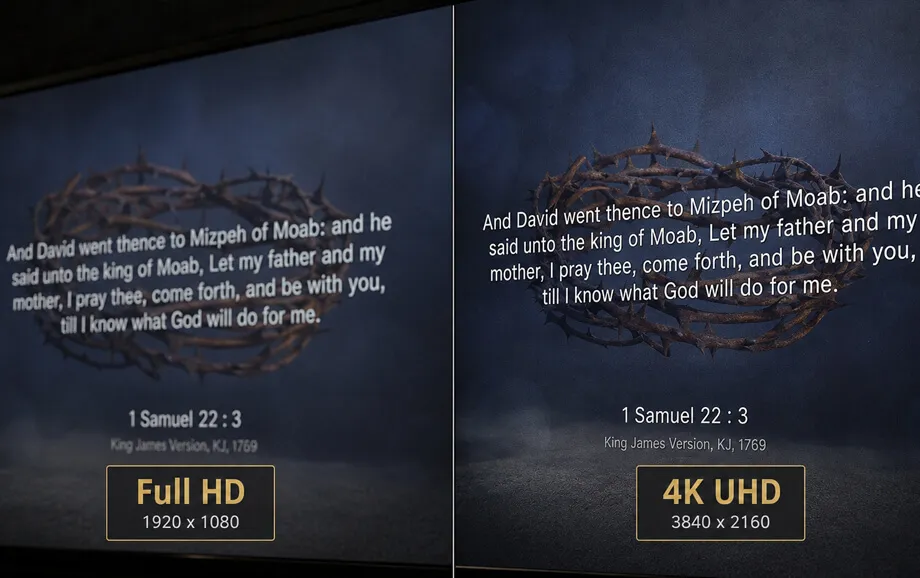
Resolution controls image detail. Lyrics and Scripture need sharp character edges, while photos, sermon graphics, and video benefit from more pixels.
HD Projectors
HD commonly means 1280 × 720 pixels. It can work on smaller screens for basic lyric projection, but it leaves less detail for fine text. For a new projector for church presentations, HD is usually a budget-led choice.
Full HD Projectors
Full HD is 1920 × 1080 pixels and remains a practical baseline for many churches. It provides enough detail for lyrics, Bible passages, sermon slides, and standard HD video.
For many medium-sized sanctuaries, a Full HD worship projector offers a good balance of detail, compatibility, and price.
4K Projectors
4K UHD typically means 3840 × 2160 pixels. The extra detail matters most on large screens or where high-resolution media is common.
A 4K model is not automatically the best projector for church use. Poor brightness, lens choice, or placement will still reduce visibility.
Consider Your Church Room Size and Screen Distance
Throw ratio links projector distance to image width: throw distance divided by image width equals throw ratio. A projector with the wrong lens may not fill the screen from the planned mounting position, even if its brightness is sufficient.
Measure from the lens to the screen and compare that distance with the manufacturer's throw-ratio range. For an existing church projector setup, this check is essential before keeping the same ceiling mount.
Choose Between Different Projector Types
The light source affects maintenance, operating cost, and installation choices. Compare laser, LED, and lamp models after brightness and lens requirements are clear.
Laser Projectors
Laser projectors are now common in commercial installations because their light sources typically provide around 20,000 hours of operation and avoid routine lamp replacement.
That is particularly useful when a church presentation projector is mounted high above seating or in another location that is difficult to service.
LED Projectors
LED projectors use solid-state light sources and are often compact and efficient. They suit smaller rooms where extreme brightness is not required.
For larger sanctuaries, compare standardised ANSI or ISO brightness rather than relying on marketing lumen figures.
Lamp Projectors
Lamp projectors remain relevant where purchase price matters and the unit is easy to service. Replacement lamps add operating cost, but this option can still be economical in smaller rooms with moderate brightness requirements.
Check Projector Connections and Compatibility
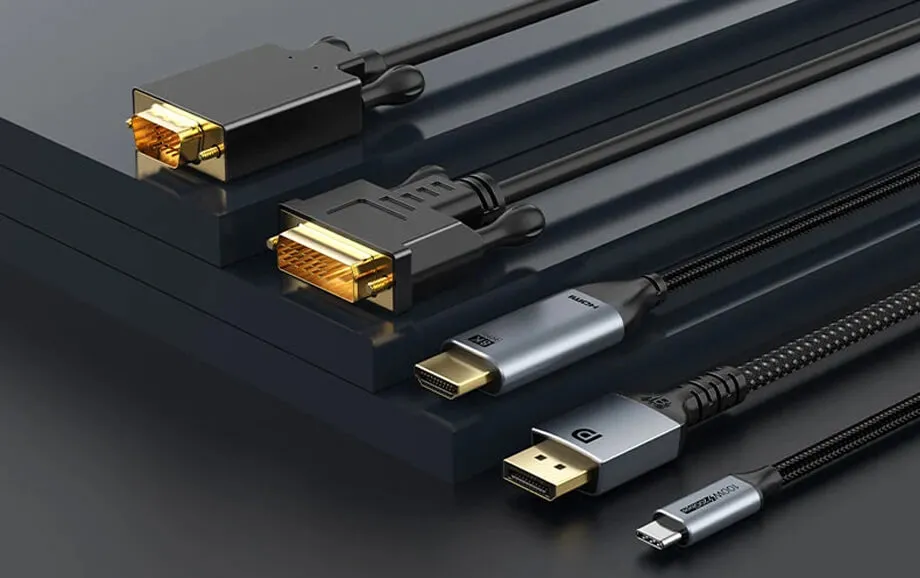
Check laptop outputs, cable length, adapters, and whether audio follows the same signal path. A dependable church projector also needs a connection path that volunteers can troubleshoot quickly.
HDMI Connection
HDMI is the simplest standard option because one cable carries digital video and audio. Long permanent runs may need active or fibre-optic HDMI rather than an excessively long passive cable.
Wireless Connection
Wireless projection is convenient, but it introduces network dependence and possible latency. A wired connection is usually easier to diagnose during a live service.
Connecting a Laptop for Presentations
Use extended desktop mode when the operator needs controls on the laptop while the congregation sees only the presentation. Test the laptop, adapter, cable, resolution, and audio route together.
If the church uses browser-based presentation software such as WorshipScreen, include browser performance and internet reliability in the church projector setup test.
Best Projector Features for Church Services
Lens shift and optical zoom make alignment easier without excessive digital keystone correction, while the correct throw-ratio range gives more mounting flexibility.
Prioritise three features:
optical lens flexibility;
enough standardised brightness for the room;
inputs that match the presentation equipment.
Quiet cooling also matters when the unit is close to seating or the production desk.
Common Mistakes When Buying a Church Projector
The most expensive mistake is buying before measuring the room. Common errors include:
choosing on lumen count alone;
ignoring throw ratio and lens range;
paying for 4K while accepting inadequate brightness;
relying only on wireless projection;
failing to test adapters, audio, and presentation software.
Avoiding these mistakes is central to how to choose a projector for church because any one of them can force additional equipment purchases after installation.
How to Set Up a Projector for Church Presentations
A stable church projector setup starts with physical alignment. Mount the projector securely, set the correct throw distance, level the chassis, and use optical lens shift or zoom before digital correction. Configure the computer to the projector's native resolution and correct aspect ratio.
Then test lyrics, Scripture, sermon slides, photos, and video from the farthest and widest seating positions. If WorshipScreen or another live presentation platform is used, keep the operator interface on the control display and send only the clean output to the congregation.
Final Tips for Choosing a Church Projector
The best projector for church use should be selected as part of a complete display system. Screen size, room light, throw distance, resolution, lens flexibility, cabling, and operator workflow must work together.
Before buying a projector for church presentations, test the image size and brightness under normal service lighting whenever possible. A well-planned church presentation projector needs the correct lens, enough brightness, reliable connections, and an image that stays readable throughout the room.