Church presentation systems have to do more than show prepared slides. During a live service, an operator may need to repeat a chorus, open an unplanned Bible passage, switch to a video, or return to an earlier screen without exposing the control interface to the congregation. That makes worship display software a live-production tool rather than a conventional slideshow application.
These worship presentation software reviews compare seven current platforms by the criteria that matter during real services: lyrics and Scripture handling, media support, output control, ease of operation, technical depth, and cost.
Best Worship Display Software in 2026
The strongest platform depends on the church rather than on the number of features advertised. A congregation using one projector and rotating volunteers needs a different workflow from a church with stage monitors, livestream graphics, several independent outputs, and a dedicated production team.
1. WorshipScreen
WorshipScreen is a free browser-based service created by a worship team for church use. It handles song lyrics, Bible passages, images, videos, playlists, backgrounds, and timers. The operator manages content from the dashboard while a separate live window is moved to a projector, LED screen, or compatible television.
Its main advantage is focus. Songs can be saved for reuse, Bible passages prepared before the service, and lyrics edited directly from the playlist view. Because it works through a browser, there is no separate desktop presentation application to install.
For small and mid-sized churches that need straightforward worship display software without subscription costs or advanced broadcast routing, this is a practical starting point.
2. ProPresenter
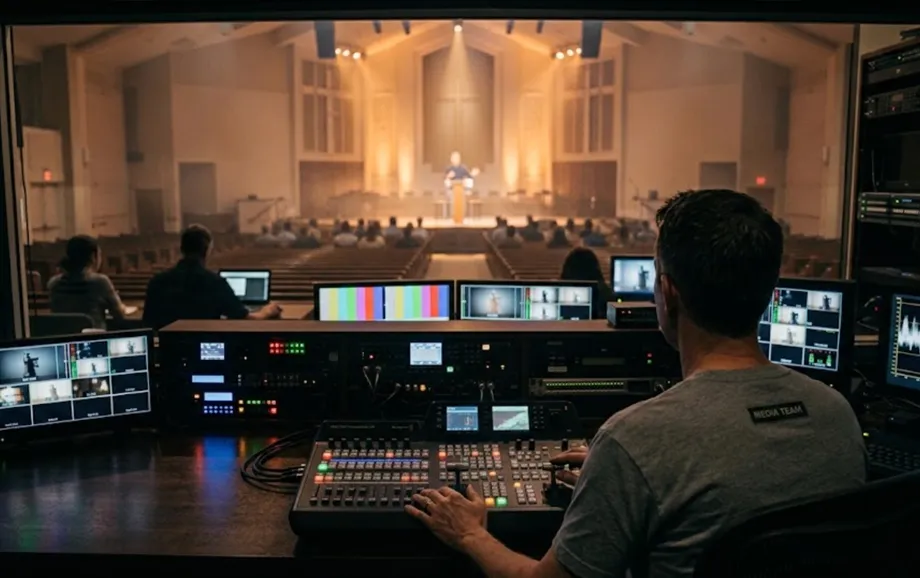
ProPresenter is positioned at the more advanced end of church presentation. It was originally built for houses of worship and currently supports dynamic visuals, lyric and copyright workflows, 125 Bible translations, HD video playback, streaming and recording, and stage screens for sending separate information to performers or production teams.
The additional control comes with higher cost and complexity. New House of Worship customers currently pay $29 per month or $289 per year for one seat, while the Campus plan is $59 per month or $649 per year.
ProPresenter therefore makes the most sense where multiple outputs, stage information, video production, or deeper live-control requirements justify a professional system.
3. EasyWorship
EasyWorship combines songs, Scripture, media, and presentation tools in a church-specific interface. Current plans start at $17.50 per month, and the software is available for Mac and Windows. Its published content library includes more than 90 Bible translations across 32 languages and access to more than 500,000 licensed worship songs through built-in SongSelect functionality.
This makes EasyWorship particularly useful for churches that value a large Scripture and song ecosystem but do not need the broader production depth of ProPresenter.
The subscription model is the obvious trade-off. Teams using only basic lyrics, Bible passages, and one audience display may be paying for more integrated content and support than they actually require.
4. OpenLP
OpenLP is free and open source. It supports songs, Bible content, media, presentations, and remote control from phones, tablets, or computers. Its web remote can control an entire service and can also search, add, and display material from the library.
Bible content can be stored locally or retrieved using OpenLP's Web Download method. The latter retrieves verses as required and therefore needs an internet connection when searching, which is an important distinction for churches planning an offline workflow.
OpenLP is a strong zero-cost option for technically confident teams that prefer desktop software and local content management. Its flexibility is greater than that of many lightweight tools, but setup and volunteer training can require more attention.
5. Proclaim
Proclaim focuses heavily on collaborative church-service preparation. It supports Mac and Windows, allows multiple team members to work within the same church subscription, and includes Quick Screens for last-minute adjustments during a service.
That collaborative model is useful when the pastor, worship leader, and media team prepare different parts of the service from separate locations. Proclaim's current starting price is $26.99 per month, while annual On Air pricing is listed at $269.99.
For churches where remote preparation is central to the workflow, Proclaim offers an advantage that is less important in a single-operator environment.
6. MediaShout
MediaShout follows a traditional installed-software model. Its current feature set includes lyrics, Scripture, sermon slides, announcements, media files, separate control and audience displays, and a stage or confidence display. The standard Site licence is listed at $599 as a one-time purchase and includes 70 Bible translations and unlimited computers under the site licence.
This pricing model distinguishes MediaShout from subscription-based competitors. Churches that prefer perpetual software ownership may find it financially attractive over a longer operating period.
The software also has optional support and training packages, which can matter when presentation duties are shared by volunteers who need reliable access to technical assistance.
7. FreeShow
FreeShow is another free, open-source option, but it targets more technically ambitious workflows than a simple lyrics presenter. It supports multiple normal and stage outputs, and its NDI implementation can send multiple output streams over a network to software such as OBS or vMix. Ethernet is recommended for NDI use.
The system can also create dedicated stage-output windows through HDMI or NDI.
For a church that needs advanced output configuration without commercial licensing, FreeShow is one of the strongest free choices. The trade-off is that its additional routing and output controls create more configuration work for inexperienced volunteers.
Worship Display Software Comparison
The seven platforms occupy different positions between simplicity and production depth. The following table summarises the most important differences confirmed by the vendors' current documentation.
Software | Cost Model | Main Technical Strength | Best Fit |
WorshipScreen | Free | Browser-based lyrics, Bible, media and live output | Small and mid-sized churches |
ProPresenter | Subscription | Stage screens, advanced media and production control | Large or production-heavy churches |
EasyWorship | Subscription | Large Bible and licensed-song ecosystem | Volunteer-led churches wanting integrated content |
OpenLP | Free, open source | Local libraries and browser remote control | Technical teams on a limited budget |
Proclaim | Subscription | Cloud collaboration and team preparation | Distributed ministry teams |
MediaShout | One-time licence | Dedicated church workflow and confidence display | Churches preferring perpetual software |
FreeShow | Free, open source | Multiple outputs, stage views and NDI | Advanced free production setups |
These worship presentation software reviews show an important pattern: higher technical capability does not automatically make a platform better for every church. A single-screen congregation may benefit more from a fast browser workflow than from NDI, stage outputs, or a complex production environment.
What to Look for in Worship Display Software
Before adopting a platform, the team should test it on the actual presentation computer and display system rather than relying only on feature comparisons. Five areas deserve particular attention:
song structure and the speed of moving between verses, choruses, and bridges;
Bible translation availability and access to unplanned passages;
separation between the operator interface and the congregation output;
image, video, audio, and online-media behaviour on the real hardware;
volunteer training time and recovery from common live-service mistakes.
Display configuration matters as much as software. A projector, television, or LED wall should be tested at its intended resolution and aspect ratio, while multi-screen environments require confirmation that the computer and chosen application can provide the necessary independent outputs.
For online or browser-based platforms, internet reliability is another operational factor. WorshipScreen requires internet access, while OpenLP can use locally installed Bible data but also offers web-downloaded Scripture that depends on a connection when verses are retrieved.
The best worship display software is therefore the platform that matches the complete technical chain: operator, computer, content library, network connection, video outputs, and the screens used by the congregation.
Final Verdict
There is no universal winner. ProPresenter offers the deepest production environment among the platforms reviewed here and is a logical choice for churches using stage screens, streaming, recording, and complex display workflows. EasyWorship and MediaShout provide more traditional church-specific environments, while Proclaim is particularly strong where several team members collaborate on service preparation.
OpenLP and FreeShow demonstrate how much can now be achieved without software licensing fees. OpenLP is better suited to teams wanting established desktop library and remote-control workflows, while FreeShow adds more sophisticated output and network-video options.
WorshipScreen takes a different approach. Instead of trying to reproduce a full broadcast-production suite, it concentrates on the content most churches use every week: songs, Scripture, images, videos, playlists, backgrounds, timers, and a separate live display. For congregations that value simplicity and free browser access over advanced routing, that narrower scope is an advantage rather than a limitation.
The central conclusion from these worship presentation software reviews is simple: choose according to the service workflow, not the size of the feature list. The right platform is the one volunteers can operate confidently when the planned order changes and the congregation is already watching the screen.